Help Center
How can we help you?


General Help Topics
Step 1: Log In
→ Go to dashboard
Step 2: Set Up Invoice Details (One-Time Setup)
🖊️ Default: Uses shipping address
✏️ To customize:
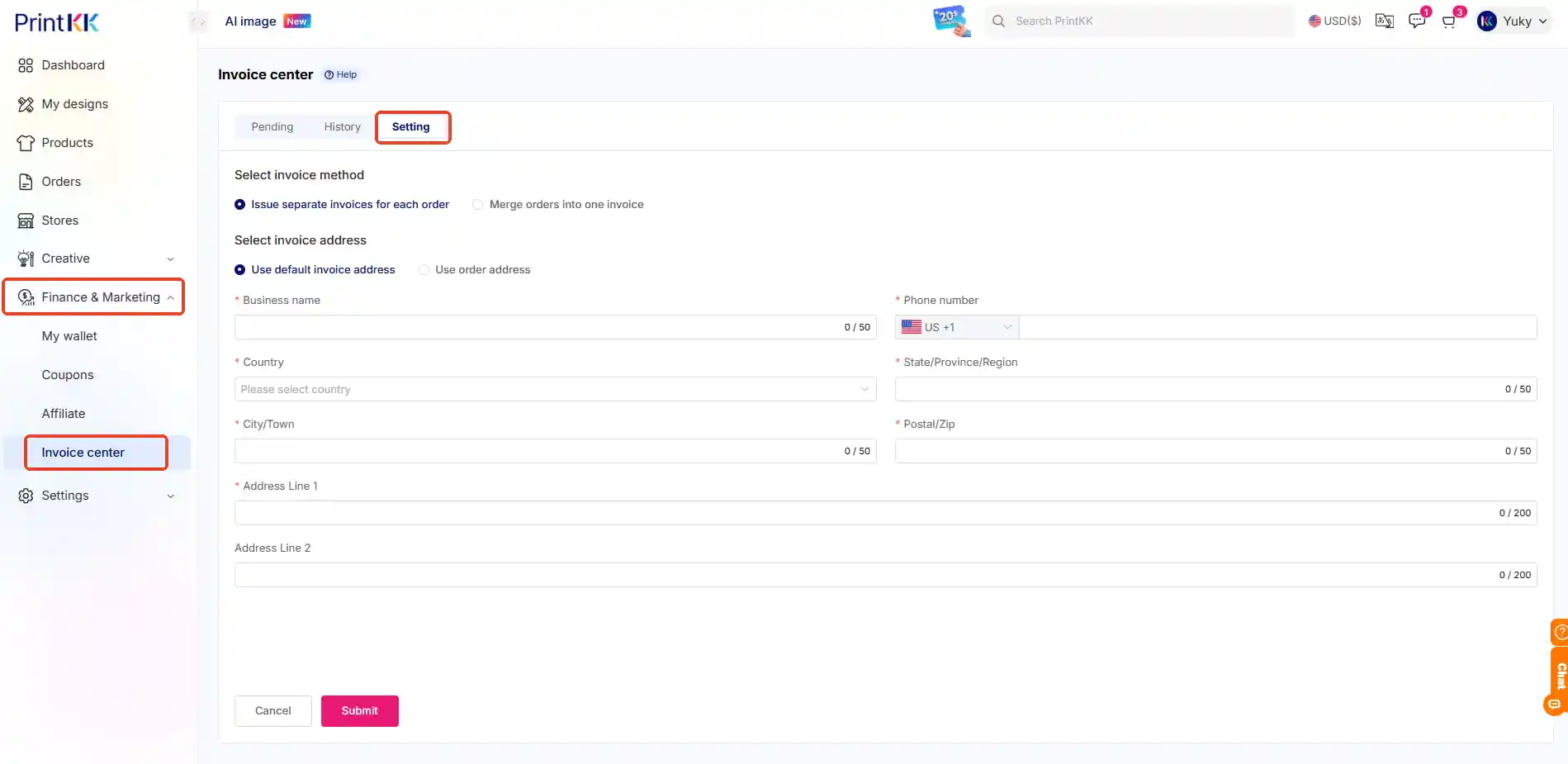
Go to: Dashboard → Finance&Marketing → Invoice Center → Setting
Enter your/company’s billing details
Save → Future invoices auto-update
(Pro Tip: Add tax ID here for business invoices!) 💡
Step 3: Download Your Invoice
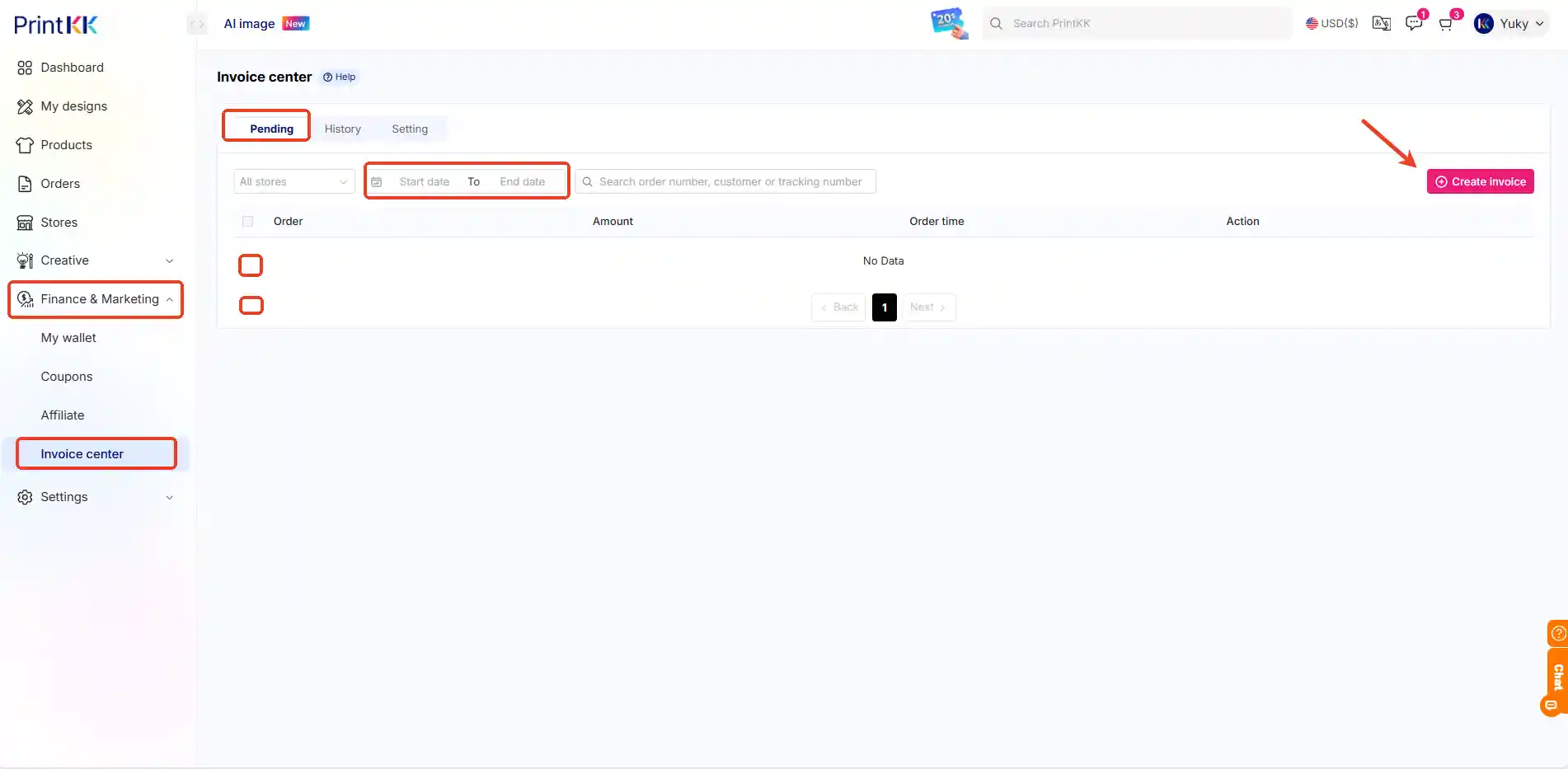
Go to: Pending
Locate target order → Click "Create invoice" (PDF)
Check email for auto-sent copy 📩